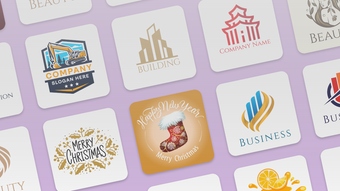
Label Maker Print Logos

Download Label Maker Logos – Custom iPhone Label Creator

0.0
Download unavailable
Screenshot 1

Description

Download Label Maker Print Logos – Custom Label Creator, Template Maker, iPhone App

Overview

is a mobile application designed for users seeking a straightforward way to create personalized labels on their iPhone devices. Developed by Abdullah Tahir, the app belongs to the Multimedia category, specifically within Graphic & Design tools. It serves as a digital label creation utility, enabling users to design custom labels with minimal effort. The primary purpose of the app is to simplify the process of label making for both casual users and professionals who require quick, on-the-go label solutions. Whether for organizing personal items, branding small products, or labeling office supplies, the app offers a practical toolset tailored to everyday needs. The app is particularly suited for individuals who value convenience and visual customization without the complexity of professional design software. Its interface is structured to guide users through the label creation process with clear instructions and intuitive navigation. Because it operates entirely offline, users can design labels anytime, regardless of internet access, which enhances usability for travelers, remote workers, or anyone managing tasks without consistent connectivity. The app’s focus on accessibility and ease of use makes it ideal for users with little to no graphic design experience.

Key Features & Capabilities

  • Custom Label Design: Users can create unique labels from scratch using a range of customizable elements, including text, shapes, and colors.
  • Pre-Made Templates: A collection of appealing templates is available to jumpstart the design process, allowing quick adaptation to various labeling needs.
  • Text Editing Flexibility: Users can modify, remove, or reposition text elements freely to match their desired label appearance.
  • Offline Functionality: The app operates without requiring an internet connection, enabling label creation in any environment.
  • Easy-to-Use Interface: Designed with simplicity in mind, the app provides clear navigation and step-by-step guidance for first-time users.
These features collectively support a seamless workflow for users who need to produce labels quickly and efficiently. For example, a small business owner can use the app to design product labels during a market event without needing Wi-Fi. Similarly, a student organizing study materials can create custom labels for binders using templates and personal text. The flexibility in editing and the ability to work offline make the app a practical choice for real-world labeling scenarios.

User Interface, Workflow & Performance

The user interface of is structured around simplicity and visual clarity. Navigation is straightforward, with primary functions accessible from a central dashboard. Users can select a template or start from a blank canvas, adjust elements using touch-based controls, and preview designs in real time. The workflow is linear and intuitive—choose a template, customize content, preview, and export or print. The app’s performance is expected to align with standard iOS application behavior, though specific details about CPU or RAM usage were not provided by the developer. General observations suggest smooth interaction during design tasks, with minimal lag during text input and layout adjustments. Stability appears consistent, as the app does not require frequent restarts or crash recovery. The developer did not specify resource usage details, so performance may vary depending on the device’s hardware and iOS version.

Compatibility & System Requirements

is compatible with iPhone devices running iOS 13.0 or later. The app has a file size of 115.7 MB, which is typical for a feature-rich design application with templates and graphics. The developer did not provide additional system requirements, such as minimum RAM or processor specifications. Compatibility information is limited to the operating system version, suggesting broad support across recent iPhone models. Installation is straightforward through the App Store, and the app integrates with iOS printing services for label output.

Pros and Cons

Pros

  • Intuitive interface ideal for non-designers
  • Offline functionality enables use without internet
  • Offers customizable templates for quick label creation
  • Free to download and use with basic features
  • Supports real-time text editing and layout adjustments

Cons

  • Advanced features require subscription access
  • Only available on iPhone, limiting cross-platform use
  • App size is relatively large for a utility tool
  • No information on cloud sync or export formats
  • Performance details not publicly disclosed

FAQ Section

Is Label Maker Print Logos available for Android?

The app is currently only available for iPhone devices and is not compatible with Android platforms.

Can I use the app without an internet connection?

Yes, Label Maker Print Logos supports full offline functionality, allowing users to design and save labels without requiring an internet connection.

Are there any in-app purchases or subscription plans?

Yes, the app offers subscription options for additional features. The weekly plan is priced at $5.49, and the monthly plan is $11.49, though prices may vary by region.

What operating systems does the app support?

Label Maker Print Logos is compatible with iPhone devices running iOS 13.0 or later.

Can I export or print my custom labels?

The app integrates with iOS printing services, allowing users to print labels directly from their device. Export options may vary based on the selected output method.


Final Thoughts

stands out as a user-friendly, accessible tool for anyone needing to create custom labels on their iPhone. Its emphasis on simplicity, offline use, and customizable templates makes it a practical choice for personal, educational, and small business applications. While advanced features are locked behind a subscription, the free version provides sufficient functionality for most casual users. The app’s design philosophy prioritizes ease of use over complexity, making it ideal for individuals without graphic design experience. For those seeking a reliable, mobile-first label maker with strong offline capabilities, this app delivers a compelling experience. Download Label Maker Print Logos now.

TotalVirus Scanned

This software has been scanned for malware and verified safe for download.

SoftPas in:

This product is also available in the following languages:

Guides & Tutorials for Label Maker Print Logos

How to install Label Maker Print Logos
  1. Click the Preview / Download button above.
  2. Once redirected, accept the terms and click Install.
  3. Wait for the Label Maker Print Logos download to finish on your device.
How to use Label Maker Print Logos

This software is primarily used for its core features described above. Open the app after installation to explore its capabilities.

User Reviews for Label Maker Print Logos 0

    No reviews found

Similar Apps

Recommended Apps

WinZip 1 zip unzip tool

WinZip 1 zip unzip tool

iPhone OS

Download Apps
Recover

Recover

iPhone OS

Download Apps
Night Stand HD

Night Stand HD

iPhone OS

Download Apps
Morning Kit

Morning Kit

iPhone OS

Download Apps
Alarm Clock Free

Alarm Clock Free

iPhone OS

Download Apps





